> For the complete documentation index, see [llms.txt](https://docs.definitive.fi/llms.txt). Markdown versions of documentation pages are available by appending `.md` to page URLs; this page is available as [Markdown](https://docs.definitive.fi/platform/turbo/discover.md).
# Discover
### Discover
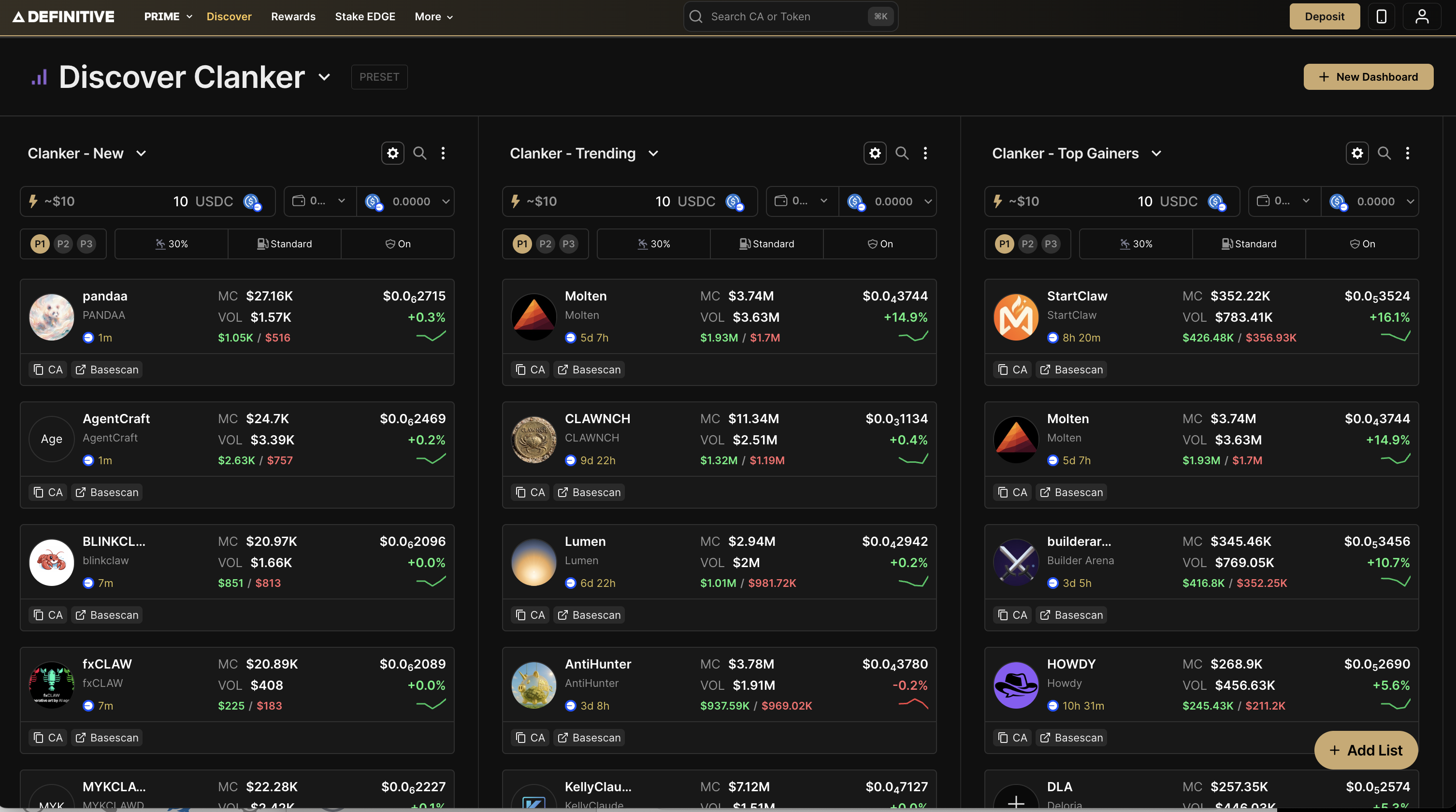
Discover is Turbo's token exploration hub, a customizable dashboard to find, filter, and trade new tokens across multiple chains and launchpads. Instead of jumping between different sites and tools to track new launches, Discover brings everything into one place.
Browse tokens from Base, Solana, and Every EVM
#### Dashboards
Dashboards are your home base in Discovery. Each dashboard contains multiple lists, letting you organize and monitor tokens the way you want.
#### Creating a Dashboard
1. Click + New Dashboard in the top right
2. Enter a name for your dashboard
3. Click Next to start adding lists
You can create multiple dashboards for different strategies - one for Base App launches, one for Solana memecoins, one for tracking specific creators, etc.
#### Filters
Custom lists can be filtered by a wide range of criteria to help you find exactly what you're looking for.
**Market Filters:**
* Market Cap: Min/Max market cap range
* Volume (24H): Min/Max 24-hour trading volume
* Liquidity: Min/Max liquidity range
* Age: How old the token is
* Transactions: Total transaction count
* Buys: Number of buy transactions
* Sells: Number of sell transactions
* Holders Count: Total number of holders
**Holder Distribution Filters:**
* Top 10 Holder %: Percentage held by top 10 wallets
* Insider Holding %: Percentage held by insiders
* Bundler %: Percentage attributed to bundlers
* Dev Holdings %: Percentage held by developers
Use these filters to narrow down tokens, whether it's fresh launches with low market cap, high-volume movers, or tokens with healthy holder distribution.